

Added
Disabling DCL Calculations
almost 2 years ago by Chris Caskey
What you need to know:
- Authorised users can disable DCL calculations for a client
- When a client's DCL calculations are disabled, only insurer/manually applied limits count towards their credit limit
The ability to disable/enable DCL calculations for a client has been added. An example of where this functionality may be used is if a client has there own insurance policy, which would mean that any limits would come from the client's policy and not a DCL.
Enabling this functionality
The ability to disable DCL calculations for clients is enabled in all markets. For a user to do this, they must be assigned the collateral_management.clients.disable_dcl scope. Once this scope has been assigned, the user can disable and enable DCL calculations for clients.
Using this functionality
The process of enablind and disabling DCL calculations is identical, in both cases, on the client overview page:
- Click on the drop down next to the client name.
- In addition to "Edit client details" and "Manage client lifecycle", authorised users will see an option to enable or disable DCL for the client.
- Click on the option to enable/disable DCL for client
- A modal window will appear asking for confirmation of the action
- Click confirm
- A client eligibility calculation will be started, after a short period of time the client's DCL state will be reflected in their eligibility (refreshing the page may be required)
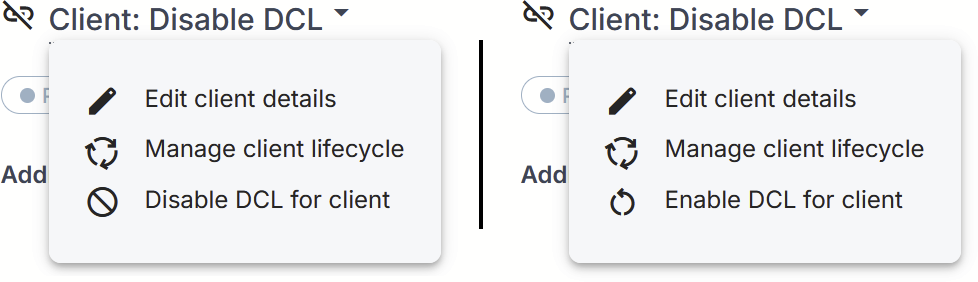
The menu options for disabling/enabling DCL calculations