

Allianz Cover Requests
A new integration between Allianz and the Collateral Management tool has been added.
This integration is an optional feature which, when enabled, allows insurance cover requests to be made to Allianz when viewing a debtor from inside the Collateral Management tool.
As of release, enabling the Allianz integration will prevent users from being able to manually override the DCL of a debtor.
Permissions
In order to apply for new insurance cover, users must have the "collateral_management.insure.request_limit" scope. This scope can be added in the same way as any other scope.
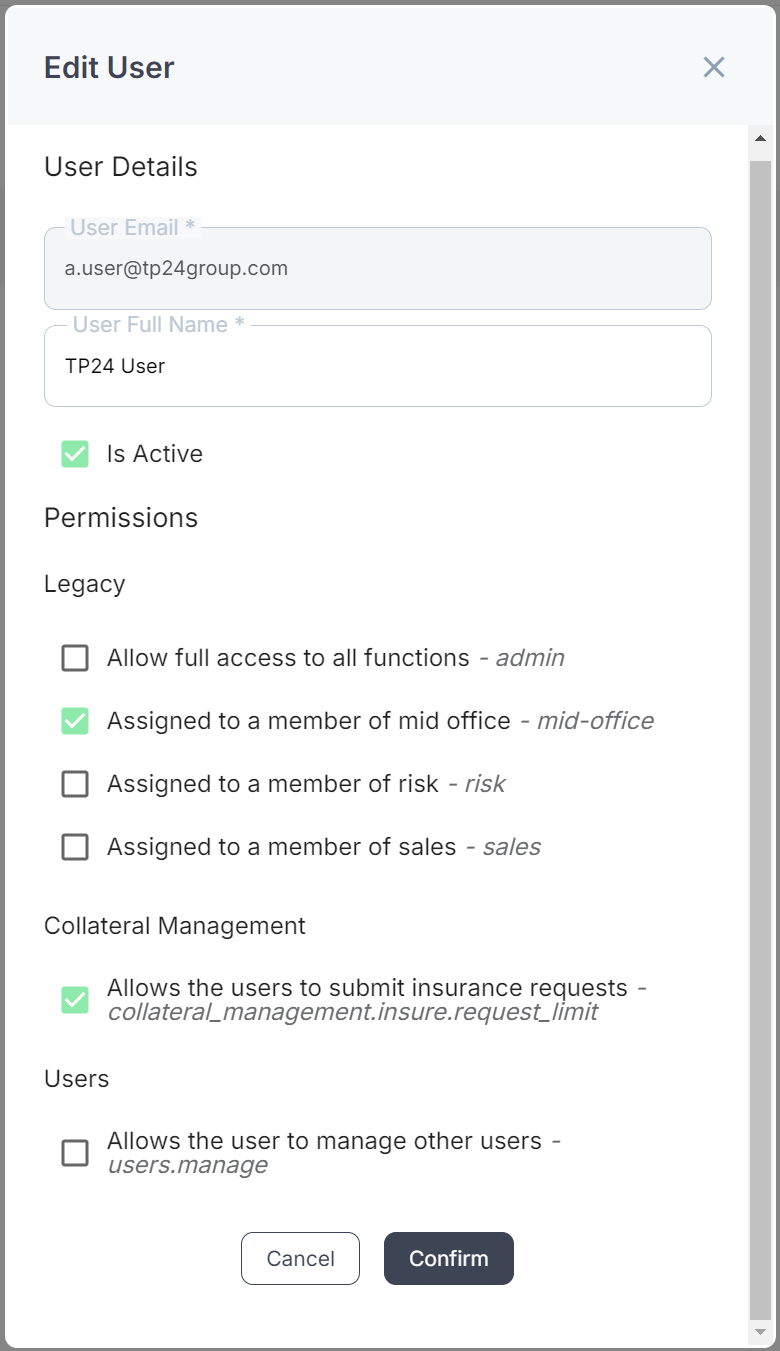
The request limit scope in the edit user modal
Users who do not have the correct scope will be able to view the insurance cover details of a debtor, but not be able to apply for a new limit.
Features
Making a cover request
With the correct permissions, a user can make a cover request by navigating to the debtor's overview, and clicking on the pencil icon. A user without the correct permission will only be able to view the current cover information, by clicking on the information icon
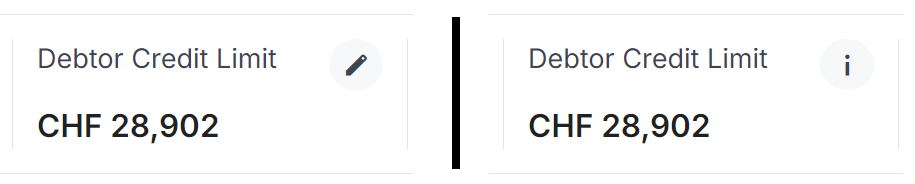
left: the debtor credit limit panel as seen by a user with the request limit position.
right: the debtor credit limit panel as seen by a user without the request limit position.
After opening the modal, a user will be presented with the current credit limit, a box to enter a requested limit, and finally a confirmation box that must be checked before requesting a new limit.
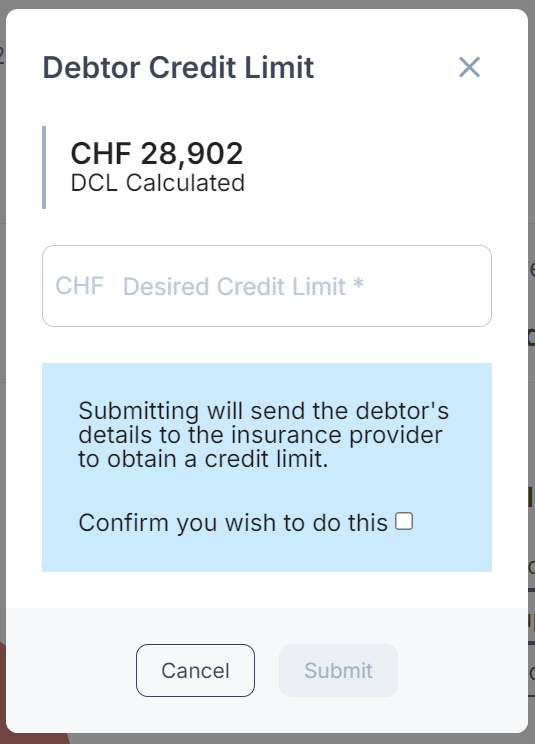
The cover request modal when no request exists
Once a desired cover amount has been entered and the confirm box checked, a user can then click submit to make the request with Allianz.
Once a cover request has been made, it is not possible to make changes to the request until Allianz responds to the request. While there is a pending cover request, the modal will show the current limit and the requested limit; it will not allow a user to submit a new request.
There is no set amount of time for Allianz to respond to a request for cover. Requests for debtors that Allianz is already aware of will generally be quicker than ones that it is not aware of.
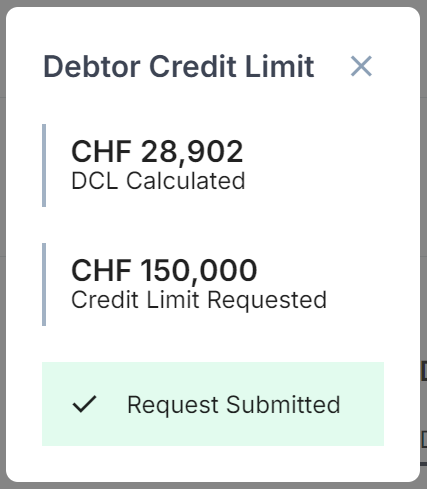
The cover request modal when there is a pending cover request
Once Allianz has made a decision on the cover request, that new credit limit will be displayed on the debtor overview page. In addition to this, when viewing the modal, the result of the previous request will be displayed at the top of the modal, with the other information about the request visible below it.
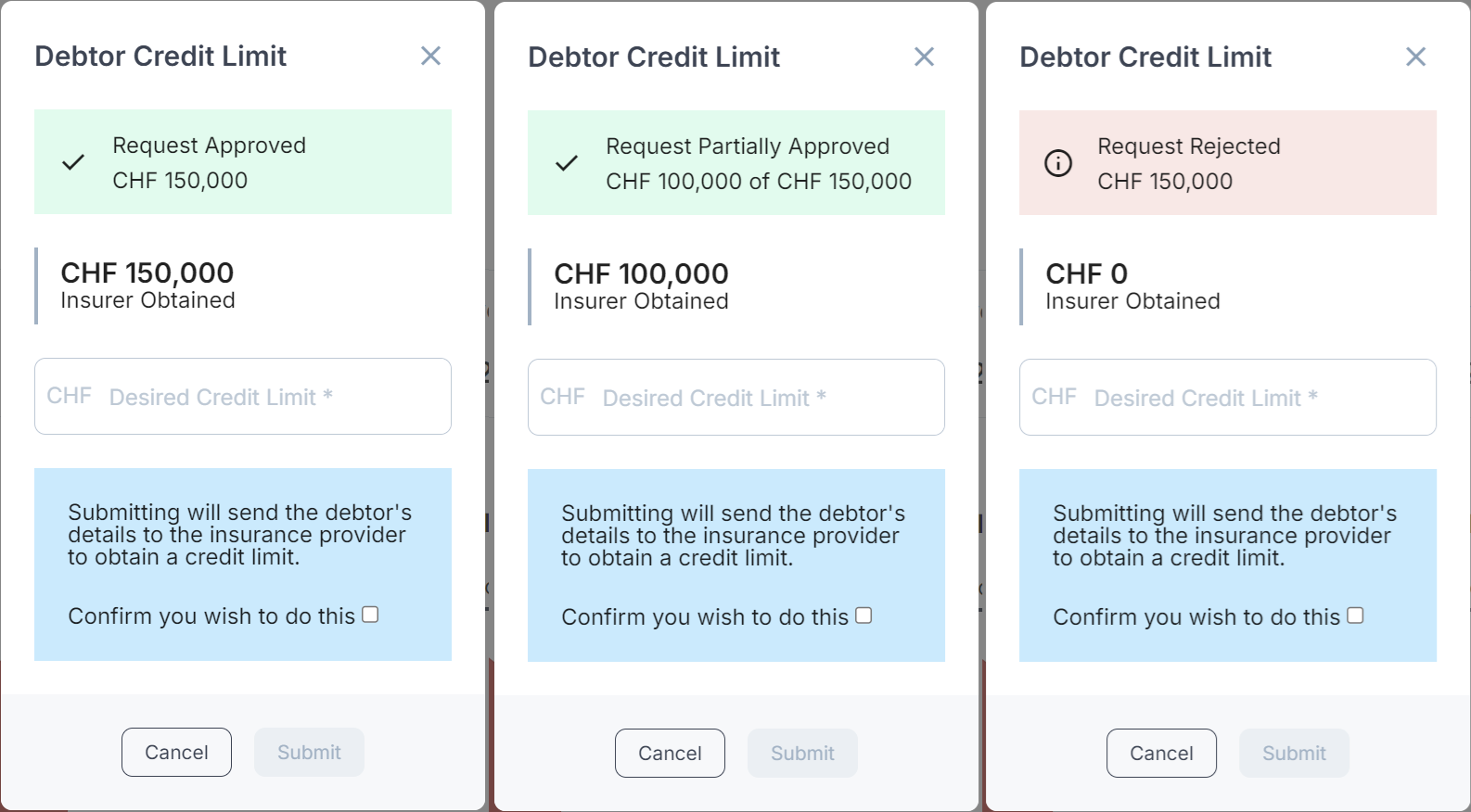
The cover request modal indicating the result of the previous request
It is possible for a cover request threshold to be configured. When a threshold is set, it will not be possible to make a new request for cover until the configured amount of days has passed. After the requisite number of days have passed, the ability to make a new request is restored.
This value is set as 0 by default but can be configured upon request to the Support team.
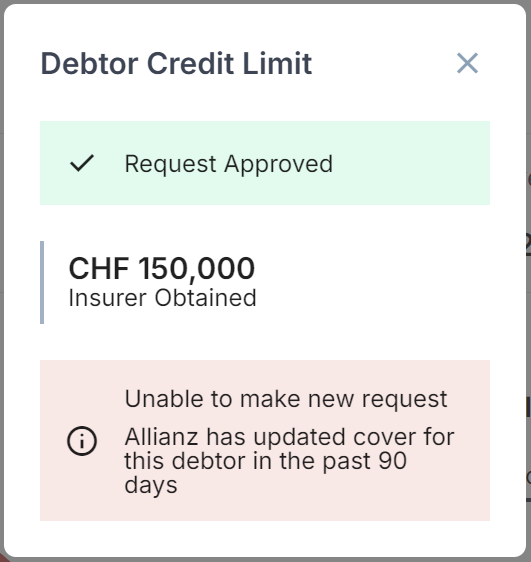
The cover request modal with a configured threshold
Client Promotion
Cover limits belong to an insurance policy. When promoting a prospective client to active, the user has the option to carry insurance limits from the prospect policy to the active policy.
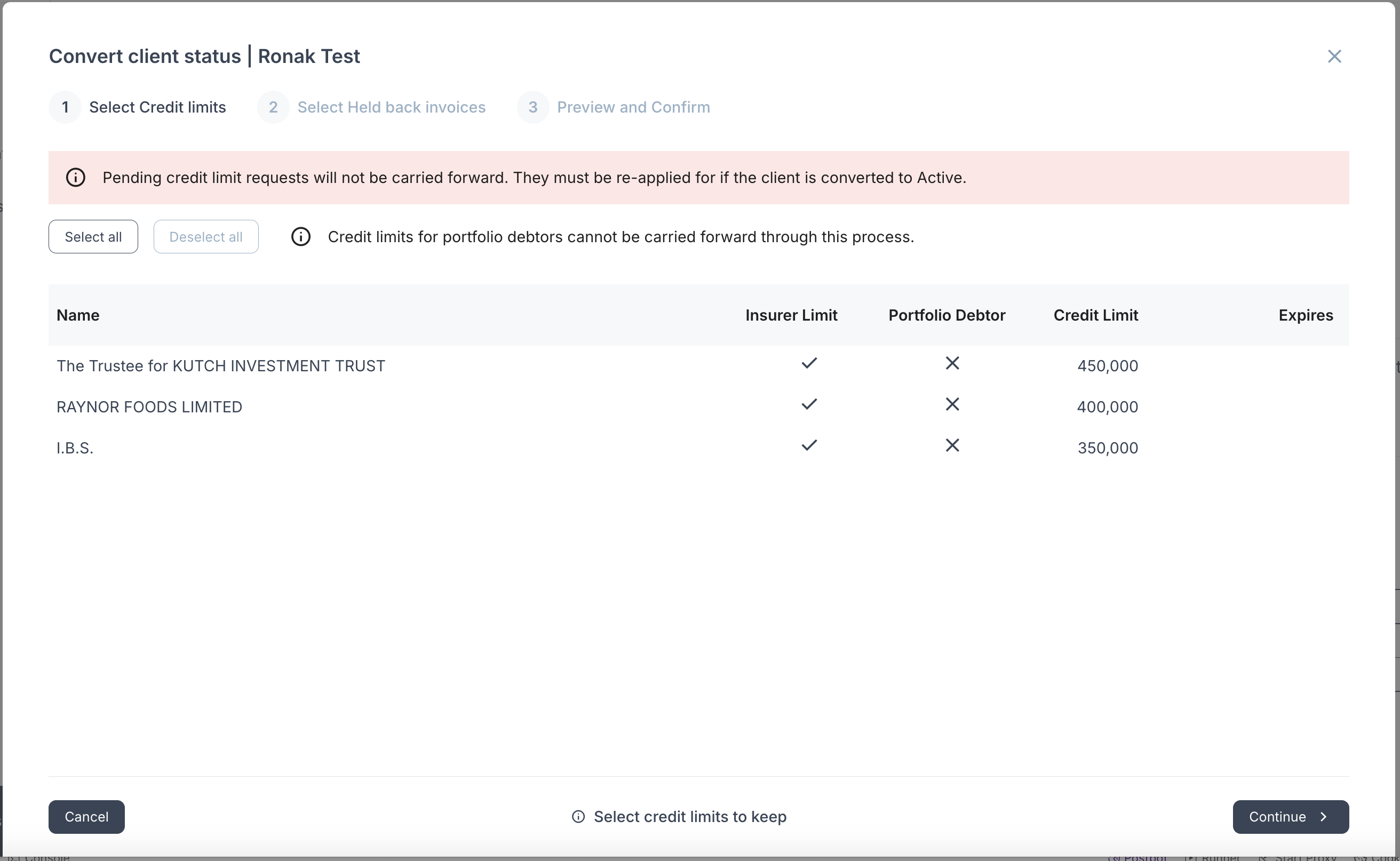
Cover may only be carried over from the prospect policy to the active policy under the following conditions:
- The debtor is not a portfolio debtor (a debtor for multiple clients)
- The cover request is not in a pending state
In all cases of insurance cover being carried forward, Allianz, the insurer, must be informed manually.
Data Export
Additional fields have been added to the client exports. New fields have been added to show:
- If the source of the credit limit is the insurer
- The requested cover amount
- The date the cover was effective from
- The status of the cover request
