

Added
Account Management in Seawolf
almost 2 years ago by Chris Caskey
What you need to know:
- We have added the ability to assign an account manager to clients in Seawolf
- When added as an account manager, a user will receive copies of correspondence sent through Seawolf
Assigning an account manager
To assign an account manager, open the edit client details modal. At the bottom of the modal, there is a new section for account management. Clicking on the dropdown will show a list of users in the system. Text can also be entered into the dropdown to filter results.
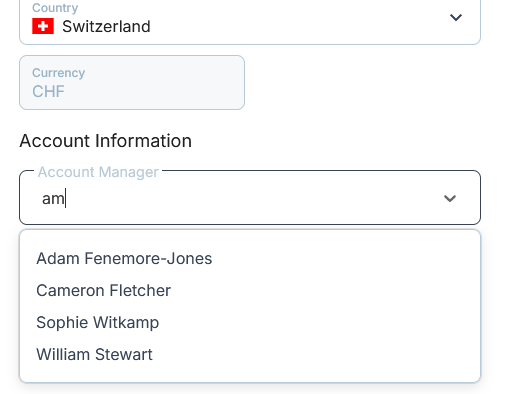
The account manager dropdown at the bottom of the edit client modal
To save the account manager against a client, click on the desired user, and click confirm.
Client Communication
Once an account manager has been added to a client, the account manager will be included on any correspondence sent from Seawolf to the client.